Hack ForcePoint N120
1. Unboxing
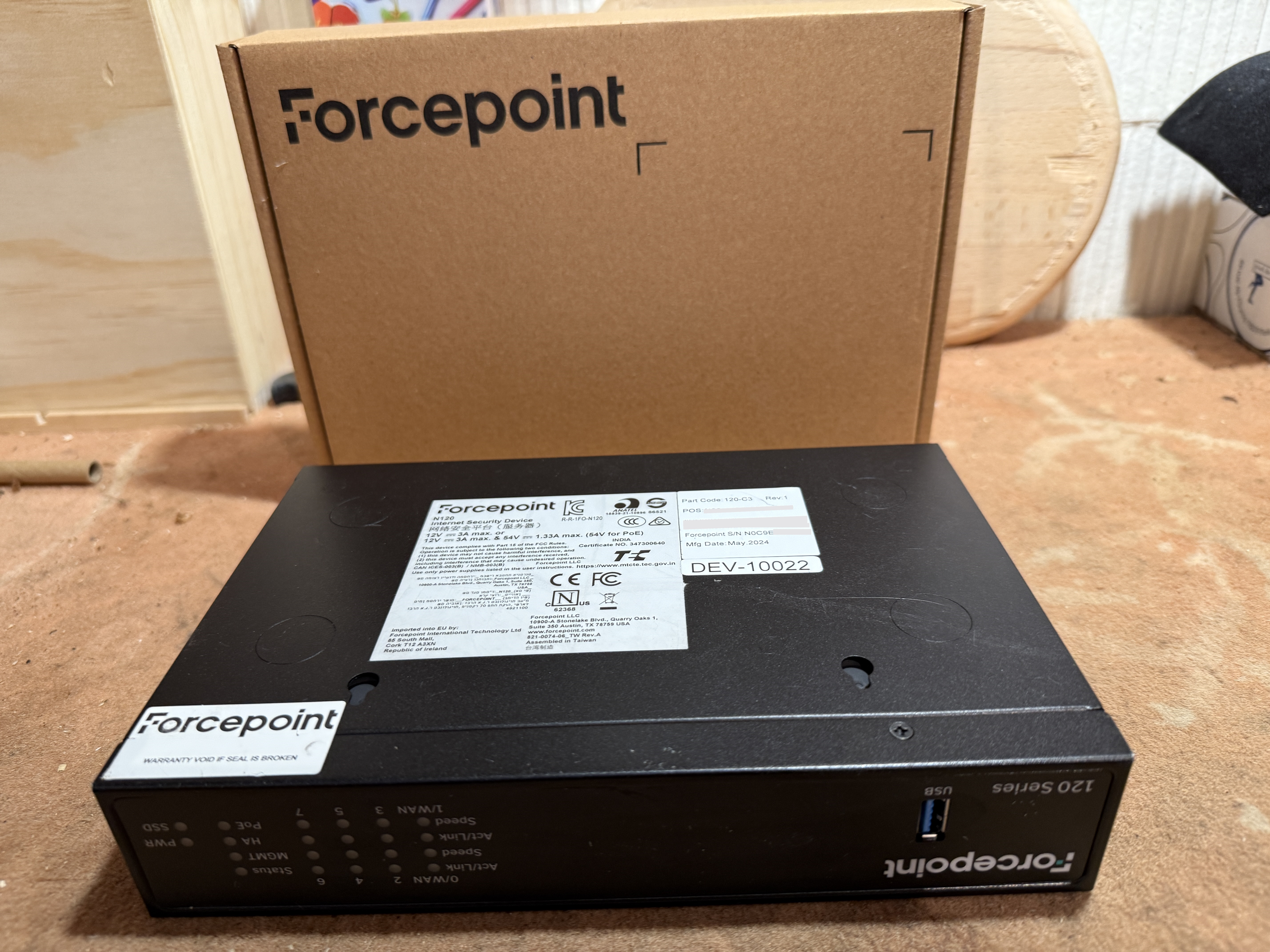
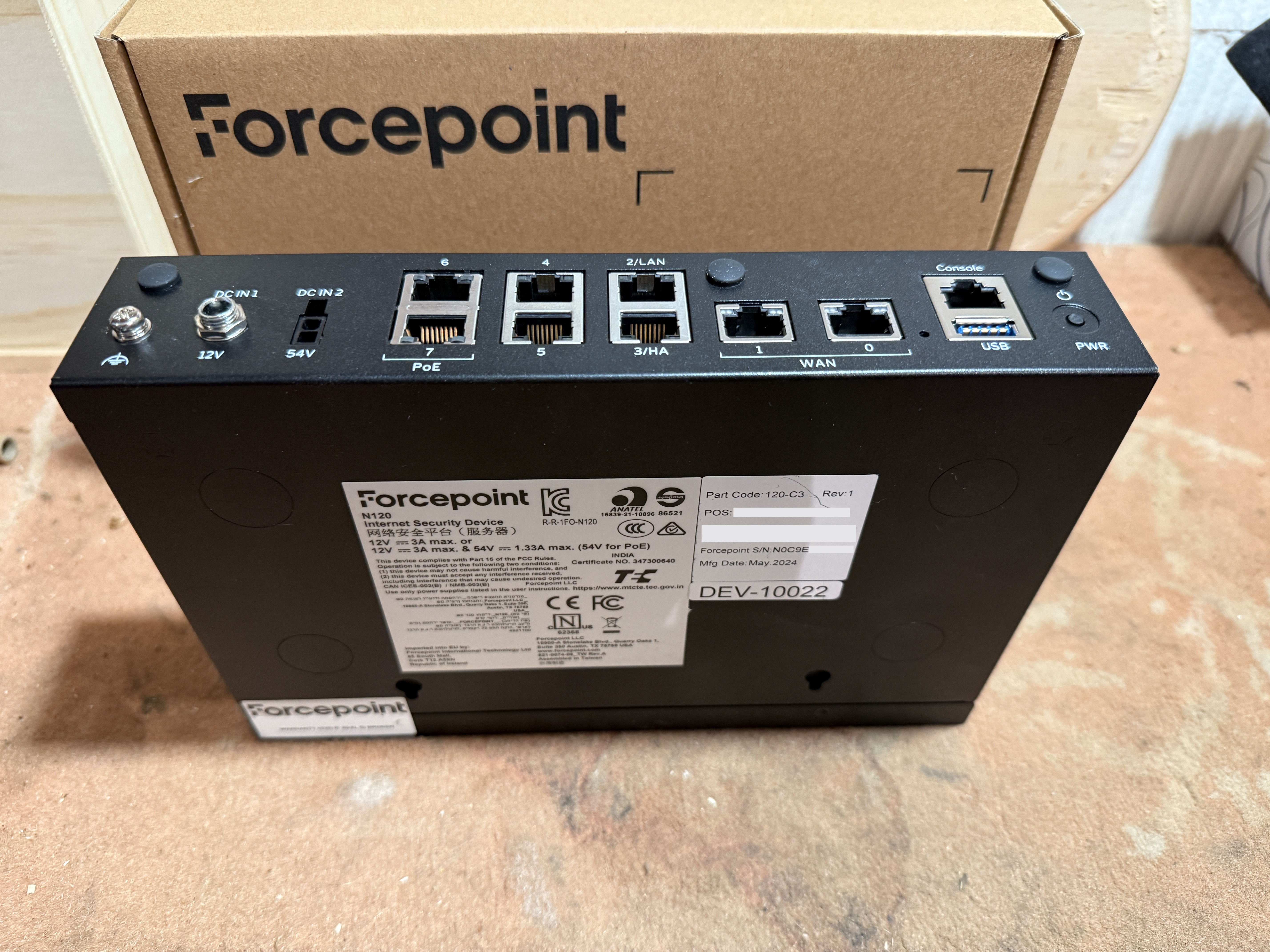
1.1 Ouverture du capot
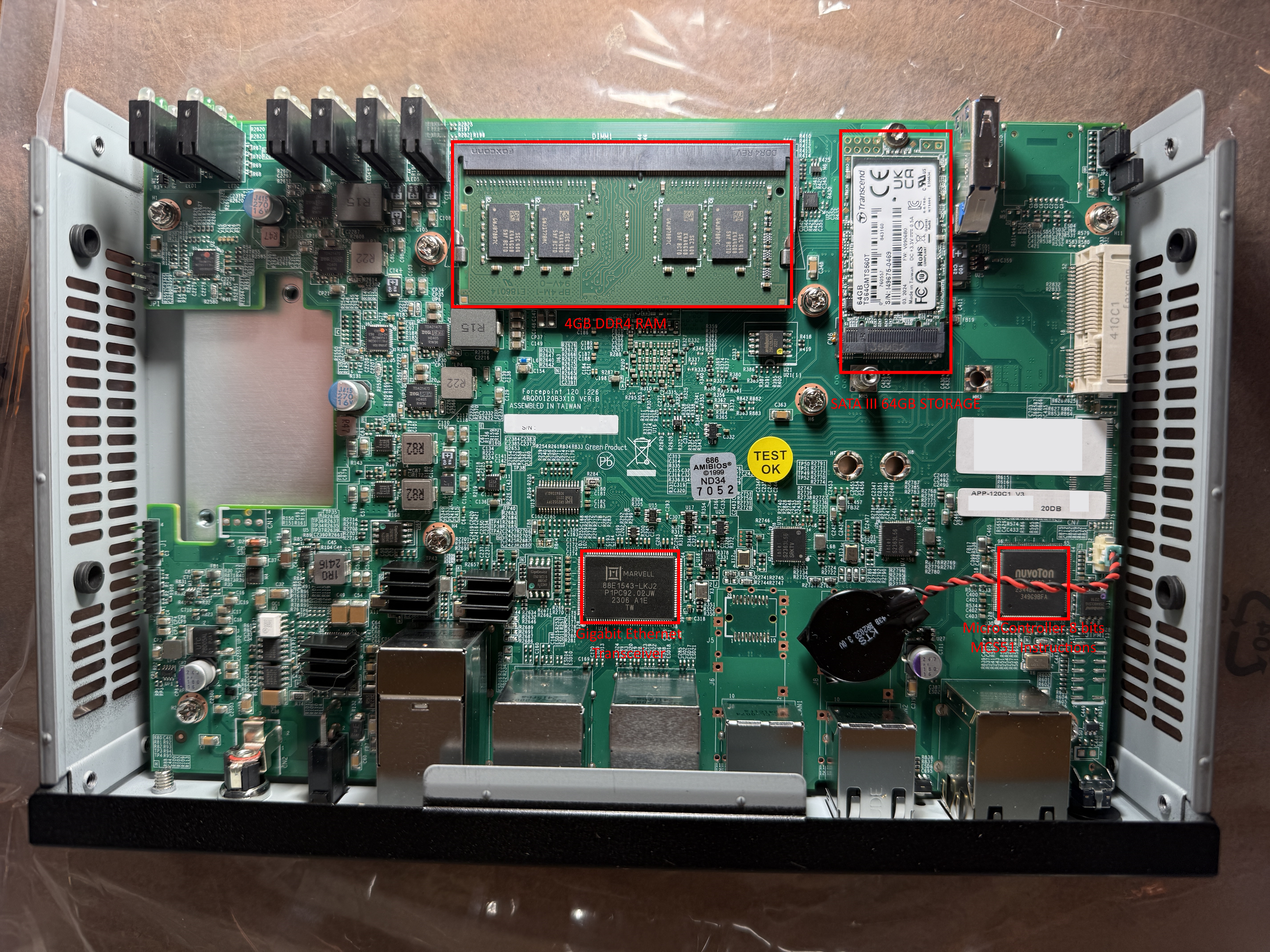
- CPU = NUVOTON NCT6686D
- Storage = TRANSCEND MTS560T
- RAM = APACER 4GB DDR4
- Network = MARVELL Ethernet Transceiver
2. Analyse Statique
Montage du disque SATA III sous KALI
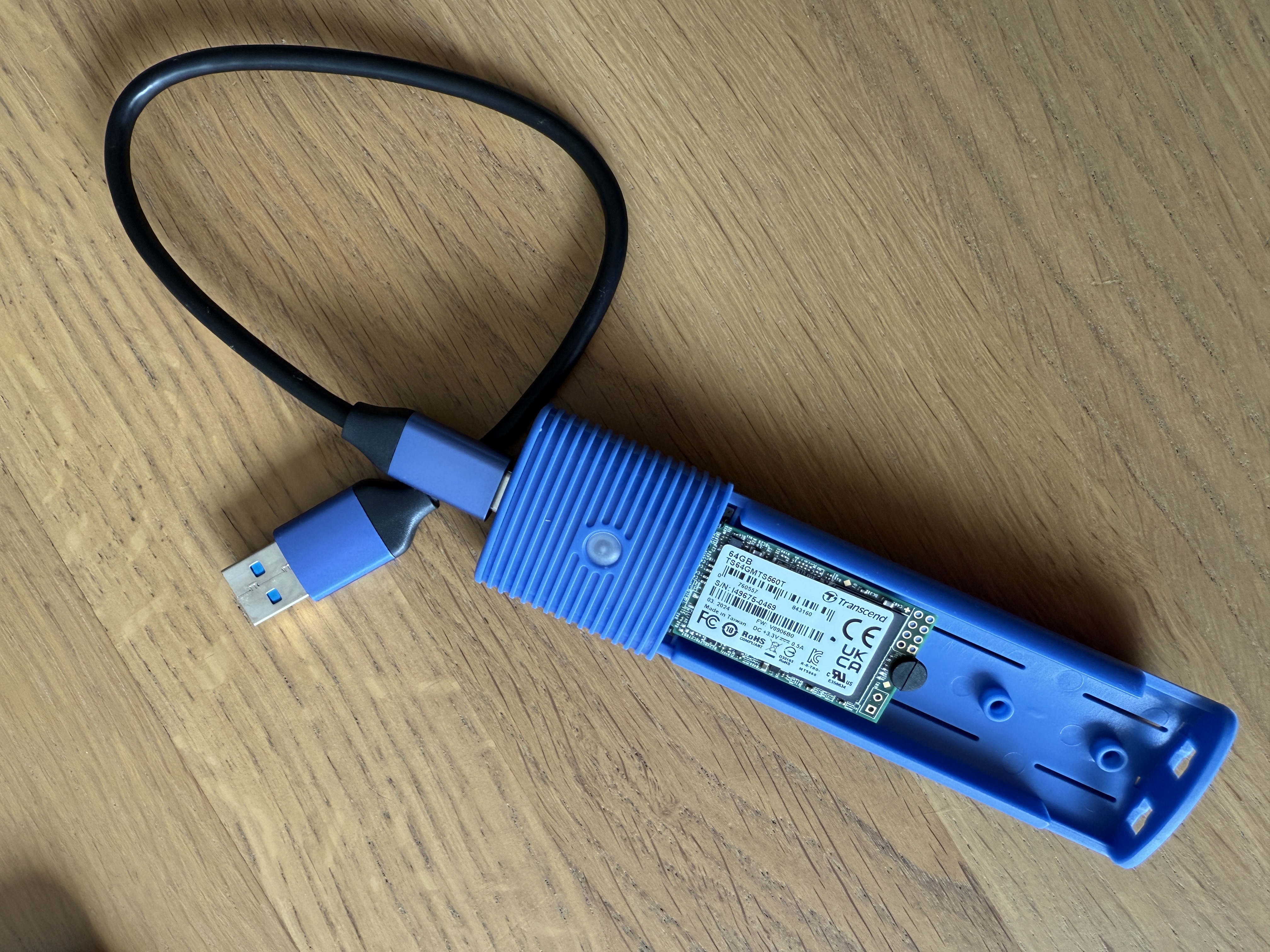
Bit Copy du disque et premier fdisk
1$ sudo dd if=/dev/sdb of=./ForcePoint-N120.dd bs=4M status=progress
2
3$ fdisk -l ForcePoint-N120.dd
4Disk ForcePoint-N120.dd: 59.63 GiB, 64023257088 bytes, 125045424 sectors
5Units: sectors of 1 * 512 = 512 bytes
6Sector size (logical/physical): 512 bytes / 512 bytes
7I/O size (minimum/optimal): 512 bytes / 512 bytes
8Disklabel type: dos
9Disk identifier: 0x975bcfde
 1Device              Boot    Start      End  Sectors  Size Id Type
 2ForcePoint-N120.dd0 *        2048    12287    10240    5M 83 Linux
 3ForcePoint-N120.dd1         12288    22527    10240    5M 83 Linux
 4ForcePoint-N120.dd2         22528    32767    10240    5M 83 Linux
 5ForcePoint-N120.dd3         32768 30724095 30691328 14.6G  5 Extended
 6ForcePoint-N120.dd4         34816  2185215  2150400    1G 83 Linux
 7ForcePoint-N120.dd5       2187264  4337663  2150400    1G 83 Linux
 8ForcePoint-N120.dd6       4339712  8435711  4096000    2G 82 Linux swap / Solaris
 9ForcePoint-N120.dd7       8437760 12738559  4300800  2.1G 83 Linux
10ForcePoint-N120.dd8      12740608 30724095 17983488  8.6G 83 Linux
On monte tout ça...
1$ sudo losetup --partscan --find --show ForcePoint-N120.dd
2$ sudo mount /dev/loop0pX /mnt/ForcePoint/ddX
2.1 Partition Boot (dd0)
Partition de démarrage contenant Grub
Seul fichier intéressant à ce stade : /boot/grub/menu.lst
 1timeout 5
 2default saved
 3
 4serial --unit=0 --speed=115200 --word=8 --parity=no --stop=1
 5terminal --timeout=4 serial console
 6
 7title    Forcepoint NGFW A: 7.1.7.29322
 8chainloader (hd0,1)+1
 9savedefault
10
11
12title    Forcepoint NGFW B: 6.10.16.26802.custom.1
13chainloader (hd0,2)+1
14savedefault
On choisit la version que l'on souhaite et en fonction on boot sur dd1 ou dd2
2.2 Partition Boot NGFW 7.1.7 (dd1)
On retombe sur une partition contenant un Grub :
 1timeout 5
 2root (hd0,1)
 3default saved
 4fallback 0
 5serial --unit=0 --speed=115200 --word=8 --parity=no --stop=1
 6terminal --timeout=4 serial console
 7()
 8title Boot Forcepoint NGFW (partition A, SMP, console on 1st serial port, 115200 8-N-1)
 9
10kernel (hd0,4)/boot/vmlinuz+smp root=/dev/ram0 init=/linuxrc SGSIDE=A crashkernel=512M-64G:96M,64G-:256M console=tty0 console=ttyS0,115200 SGCONS_1L=0 SGCONS_0S=0,115200
11initrd (hd0,4)/boot/bootrd.img
12
13title Switch to local console
14
15kernel (hd0,4)/boot/vmlinuz+smp root=/dev/ram0 init=/linuxrc SGSIDE=A crashkernel=512M-64G:96M,64G-:256M console=tty0 SGCONS_0L=0
16initrd (hd0,4)/boot/bootrd.img
17
18title Switch to uniprocessor (UP) kernel
19
20kernel (hd0,4)/boot/vmlinuz+up root=/dev/ram0 init=/linuxrc SGSIDE=A crashkernel=512M-64G:96M,64G-:256M console=tty0 console=ttyS0,115200 SGCONS_1L=0 SGCONS_0S=0,115200
21initrd (hd0,4)/boot/bootrd.img
22
23title System restore options
24
25kernel (hd0,4)/boot/vmlinuz+smp root=/dev/ram0 init=/linuxrc SGSIDE=A crashkernel=512M-64G:96M,64G-:256M console=tty0 console=ttyS0,115200 SGCONS_1L=0 SGCONS_0S=0,115200 SGCLEAR=1
26initrd (hd0,4)/boot/bootrd.img
Le kernel et les binaires 7.1.7 se trouvent sur dd4
2.3 Partition Boot NGFW 6.10.16 (dd2)
A nouveau un Grub :
 1timeout 5
 2root (hd0,2)
 3default saved
 4fallback 0
 5serial --unit=0 --speed=115200 --word=8 --parity=no --stop=1
 6terminal --timeout=4 serial console
 7()
 8title Boot Forcepoint NGFW (partition B, SMP, console on 1st serial port, 115200 8-N-1)
 9
10kernel (hd0,5)/boot/vmlinuz+smp root=/dev/ram0 init=/linuxrc SGSIDE=B crashkernel=512M-64G:96M,64G-:256M console=tty0 console=ttyS0,115200 SGCONS_1L=0 SGCONS_0S=0,115200
11initrd (hd0,5)/boot/bootrd.gz
12
13title Switch to local console
14
15kernel (hd0,5)/boot/vmlinuz+smp root=/dev/ram0 init=/linuxrc SGSIDE=B crashkernel=512M-64G:96M,64G-:256M console=tty0 SGCONS_0L=0
16initrd (hd0,5)/boot/bootrd.gz
17
18title Switch to uniprocessor (UP) kernel
19
20kernel (hd0,5)/boot/vmlinuz+up root=/dev/ram0 init=/linuxrc SGSIDE=B crashkernel=512M-64G:96M,64G-:256M console=tty0 console=ttyS0,115200 SGCONS_1L=0 SGCONS_0S=0,115200
21initrd (hd0,5)/boot/bootrd.gz
22
23title System restore options
24
25kernel (hd0,5)/boot/vmlinuz+smp root=/dev/ram0 init=/linuxrc SGSIDE=B crashkernel=512M-64G:96M,64G-:256M console=tty0 console=ttyS0,115200 SGCONS_1L=0 SGCONS_0S=0,115200 SGCLEAR=1
26initrd (hd0,5)/boot/bootrd.gz
Le kernel et les binaires 6.10.16 se trouvent sur dd5
2.3 Partition Kernel et Binaires ForcePoint (StoneGate) (dd4)
On a un kernel de ce type :
1$ file boot/vmlinuz+smp
2boot/vmlinuz+smp: Linux kernel x86 boot executable bzImage, version 5.10.211+smp (gatebuilder@ip-10-147-1-43.eu-central-1.compute.internal) #1 SMP Mon Dec 9 08:49:21 UTC 2024, RO-rootFS, swap_dev 0X7, Normal VGA
Le système init a été remplacé par minit
Sequence de démarrage dans /etc/minit à lire en tenant en compte les dépendances (depends)
Quelques fichiers/répertoires intéressants :
 1$ sudo find . -name "*stonegate*" -ls
 2      122      1 -rwxr-xr-x   1 root     root          303 Jan  8 04:29 ./etc/ldap/initial-stonegate.ldif
 3      713      0 drwxr-xr-x   2 root     root           53 Jan  8 04:28 ./etc/minit/initialize_mkdir_varrunstonegate
 4      848      0 drwxr-xr-x   2 root     root           26 Jan  8 04:28 ./etc/minit/killall_stonegate
 5     1138      0 drwxr-xr-x   2 root     root           30 Jan  8 04:28 ./etc/minit/pre_stonegate_daemons
 6     1266      0 drwxr-xr-x   3 root     root           81 Jan  8 04:28 ./etc/minit/serial_getty_stonegate
 7     1371      0 drwxr-xr-x   3 root     root           49 Jan  8 04:28 ./etc/minit/shutdown_stonegate
 8     1547      0 drwxr-xr-x   3 root     root           52 Jan  8 04:28 ./etc/minit/stonegate_boot
 9     1554      0 drwxr-xr-x   3 root     root           53 Jan  8 04:35 ./etc/minit/stonegate_daemons
10     1562      0 drwxr-xr-x   3 root     root           76 Jan  8 04:28 ./etc/minit/stonegate_kernel_module
11     1645      0 lrwxrwxrwx   1 root     root           33 Jan  8 04:33 ./etc/modprobe.d/01_stonegate_modules.conf -> /usr/share/stonegate/modules.conf
12     1706      1 -rw-r--r--   1 root     root           12 Jan  8 04:35 ./etc/stonegate-version
13     2285      0 drwxr-xr-x   3 root     root           35 Jan  8 04:26 ./lib/firmware/stonegate
14     2733      0 lrwxrwxrwx   1 root     root           13 Jan  8 04:33 ./lib/modules/5.10.211+smp/kernel/stonegate -> ../stonegate/
15     2746      0 drwxr-xr-x   3 root     root          125 Jan  8 04:28 ./lib/modules/5.10.211+smp/stonegate
16     2749     78 -rw-r--r--   1 root     root        79088 Jan  8 04:28 ./lib/modules/5.10.211+smp/stonegate/protocol-agents/stonegate_agent_1.ko
17     2750    105 -rw-r--r--   1 root     root       107272 Jan  8 04:28 ./lib/modules/5.10.211+smp/stonegate/protocol-agents/stonegate_agent_10.ko
18     2751    180 -rw-r--r--   1 root     root       184056 Jan  8 04:28 ./lib/modules/5.10.211+smp/stonegate/protocol-agents/stonegate_agent_11.ko
19     2752     36 -rw-r--r--   1 root     root        36464 Jan  8 04:28 ./lib/modules/5.10.211+smp/stonegate/protocol-agents/stonegate_agent_2.ko
20     2753     56 -rw-r--r--   1 root     root        56744 Jan  8 04:28 ./lib/modules/5.10.211+smp/stonegate/protocol-agents/stonegate_agent_3.ko
21     2754     56 -rw-r--r--   1 root     root        57152 Jan  8 04:28 ./lib/modules/5.10.211+smp/stonegate/protocol-agents/stonegate_agent_4.ko
22     2755     16 -rw-r--r--   1 root     root        16056 Jan  8 04:28 ./lib/modules/5.10.211+smp/stonegate/protocol-agents/stonegate_agent_5.ko
23     2756     25 -rw-r--r--   1 root     root        25352 Jan  8 04:28 ./lib/modules/5.10.211+smp/stonegate/protocol-agents/stonegate_agent_7.ko
24     2757     19 -rw-r--r--   1 root     root        18896 Jan  8 04:28 ./lib/modules/5.10.211+smp/stonegate/protocol-agents/stonegate_agent_9.ko
25     2759  10788 -rw-r--r--   1 root     root     11045920 Jan  8 04:28 ./lib/modules/5.10.211+smp/stonegate/stonegate.ko
26     2760     10 -rw-r--r--   1 root     root         9856 Jan  8 04:28 ./lib/modules/5.10.211+smp/stonegate/stonegate_drop_all.ko
27     9747      0 drwxr-xr-x   2 root     root            3 Jan  8 04:29 ./usr/lib/python2.7/site-packages/stonegate
28     9748      1 -rw-r--r--   1 root     root           44 Jan  8 04:29 ./usr/lib/python2.7/site-packages/stonegate.pth
29    14180      1 -rw-r--r--   1 root     root          228 Jan  8 04:29 ./usr/lib/python3/dist-packages/stonegate-0.0.0.egg-info
30    15066      0 drwxr-xr-x  13 root     root          234 Jan  8 04:33 ./usr/lib/stonegate
31    15178      1 -rwxr-xr-x   1 root     root          735 Jan  8 04:29 ./usr/lib/stonegate/bin/stonegate-reinit-ldap
32    16106      4 -rwxr-xr-x   1 root     root         3738 Jan  8 04:29 ./usr/sbin/start-stonegate
33    16107      2 -rwxr-xr-x   1 root     root         1242 Jan  8 04:29 ./usr/sbin/stop-stonegate
34    16143      0 drwxr-xr-x   2 root     root           40 Jan  8 04:33 ./usr/share/doc/stonegate
35    16952      0 drwxr-xr-x  10 root     root         1614 Jan  8 04:35 ./usr/share/stonegate
36
37$ sudo find . -name "*ngfw*" -ls
38     1650      1 -rw-r--r--   1 root     root            6 Jan  8 04:28 ./etc/ngfw_os_version
39     3830      0 drwxr-xr-x   3 root     root           35 Jan  8 04:28 ./usr/lib/ngfw-cfg-llm
40     3848      0 drwxr-xr-x   3 root     root           26 Jan  8 04:28 ./usr/lib/ngfw-cfg-llm/node_modules/@ngfw-cfg
41     4017      0 drwxr-xr-x  18 root     root          372 Jan  8 04:28 ./usr/lib/ngfw-cfg-llm/node_modules/@ngfw-cfg/llm/node_modules/@ngfw-cfg
42     6068      0 drwxr-xr-x   3 root     root           35 Jan  8 04:28 ./usr/lib/ngfw-mon-llm
43     6072      0 drwxr-xr-x   3 root     root           47 Jan  8 04:28 ./usr/lib/ngfw-mon-llm/node_modules/@ngfw-mon
44     6139      0 drwxr-xr-x   5 root     root           75 Jan  8 04:28 ./usr/lib/ngfw-mon-llm/node_modules/@ngfw-mon/monitoring-domain-socket/node_modules/@ngfw-mon
45     9226      1 -rw-r--r--   1 root     root          642 Jan  8 04:35 ./usr/lib/python2.7/dist-packages/sg/scripts/check_ngfw_smc_status.pyc
46     9227      1 -rw-r--r--   1 root     root          813 Jan  8 04:35 ./usr/lib/python2.7/dist-packages/sg/scripts/check_ngfw_traffic_status.pyc
47     9228      6 -rw-r--r--   1 root     root         5704 Jan  8 04:35 ./usr/lib/python2.7/dist-packages/sg/scripts/set_ngfw_mgmt_info.pyc
48     9229      3 -rw-r--r--   1 root     root         3003 Jan  8 04:35 ./usr/lib/python2.7/dist-packages/sg/scripts/set_ngfw_network_info.pyc
49    13968      0 drwxr-xr-x   2 root     root          163 Jan  8 04:35 ./usr/lib/python3/dist-packages/sg/ngfwcli
50    13972      2 -rw-r--r--   1 root     root         1970 Jan  8 04:29 ./usr/lib/python3/dist-packages/sg/ngfwcli/ngfwc.py
51    13973     38 -rw-r--r--   1 root     root        38794 Jan  8 04:29 ./usr/lib/python3/dist-packages/sg/ngfwcli/ngfwctl.py
52    13974      2 -rw-r--r--   1 root     root         1279 Jan  8 04:29 ./usr/lib/python3/dist-packages/sg/ngfwcli/ngfwlogin.py
53    13975     14 -rw-r--r--   1 root     root        13714 Jan  8 04:29 ./usr/lib/python3/dist-packages/sg/ngfwcli/ngfwmon.py
54    13976      2 -rw-r--r--   1 root     root         1958 Jan  8 04:29 ./usr/lib/python3/dist-packages/sg/ngfwcli/ngfwq.py
55    13977      0 drwxr-xr-x   2 root     root          118 Jan  8 04:29 ./usr/lib/python3/dist-packages/sg/ngfwcli-70c6364b6352cde342f8b23d00203f90af96c20b.dist-info
En bonus le fichier sudoers :
 1cat sudoers
 2Defaults	env_reset
 3Defaults	env_keep += "COVAUTOSAVE"
 4Defaults	env_keep += "SGSIDE"
 5Defaults	secure_path="/usr/sbin:/usr/bin:/sbin:/bin"
 6Defaults	timestampdir="/var/run/stonegate/sudo"
 7Defaults	! fqdn
 8Defaults	! mailerpath
 9
10root		ALL=(ALL:ALL) ALL
11
12#includedir	/data/config/sudoers.d
13
14%sguser		ALL=(ALL:ALL) /usr/sbin/vtysh, /usr/sbin/sg-dynamic-routing
15
16graphql		ALL=(ALL:ALL) NOPASSWD: /usr/lib/ngfw-cfg-llm/node_modules/@ngfw-cfg/llm/node_modules/.bin/commit-config
17graphql		ALL=(ALL:ALL) NOPASSWD: /usr/lib/ngfw-cfg-llm/node_modules/@ngfw-cfg/llm/libexec/dynup-extract
18graphql		ALL=(ALL:ALL) NOPASSWD: /usr/lib/ngfw-cfg-llm/node_modules/@ngfw-cfg/llm/libexec/engine-cmd
19graphql		ALL=(ALL:ALL) NOPASSWD: /usr/lib/ngfw-cfg-llm/node_modules/@ngfw-cfg/llm/libexec/upgrade-extract
20graphql		ALL=(postgres) NOPASSWD: /usr/lib/ngfw-cfg-llm/node_modules/@ngfw-cfg/llm/node_modules/.bin/backup-control
21graphql		ALL=(postgres) NOPASSWD: /usr/lib/ngfw-cfg-llm/node_modules/@ngfw-cfg/llm/node_modules/.bin/dynup-control
22graphql		ALL=(postgres) NOPASSWD: /usr/lib/ngfw-cfg-llm/node_modules/@ngfw-cfg/llm/node_modules/.bin/engine-migration
23postgres		ALL=(ALL:ALL) NOPASSWD: /usr/lib/ngfw-cfg-llm/node_modules/@ngfw-cfg/llm/libexec/dynup-delete
24postgres		ALL=(ALL:ALL) NOPASSWD: /usr/sbin/sg-key-backup
2.4 Partitions de Configuration : dd7 et dd8
Les 2 partitions sont montées au démarrage comme suit :
- /dev/sda8 on /data type ext4 (rw,relatime,errors=remount-ro,data=ordered)
- /dev/sda9 on /spool type ext4 (rw,relatime,errors=remount-ro,data=ordered)
3. Analyse Dynamique
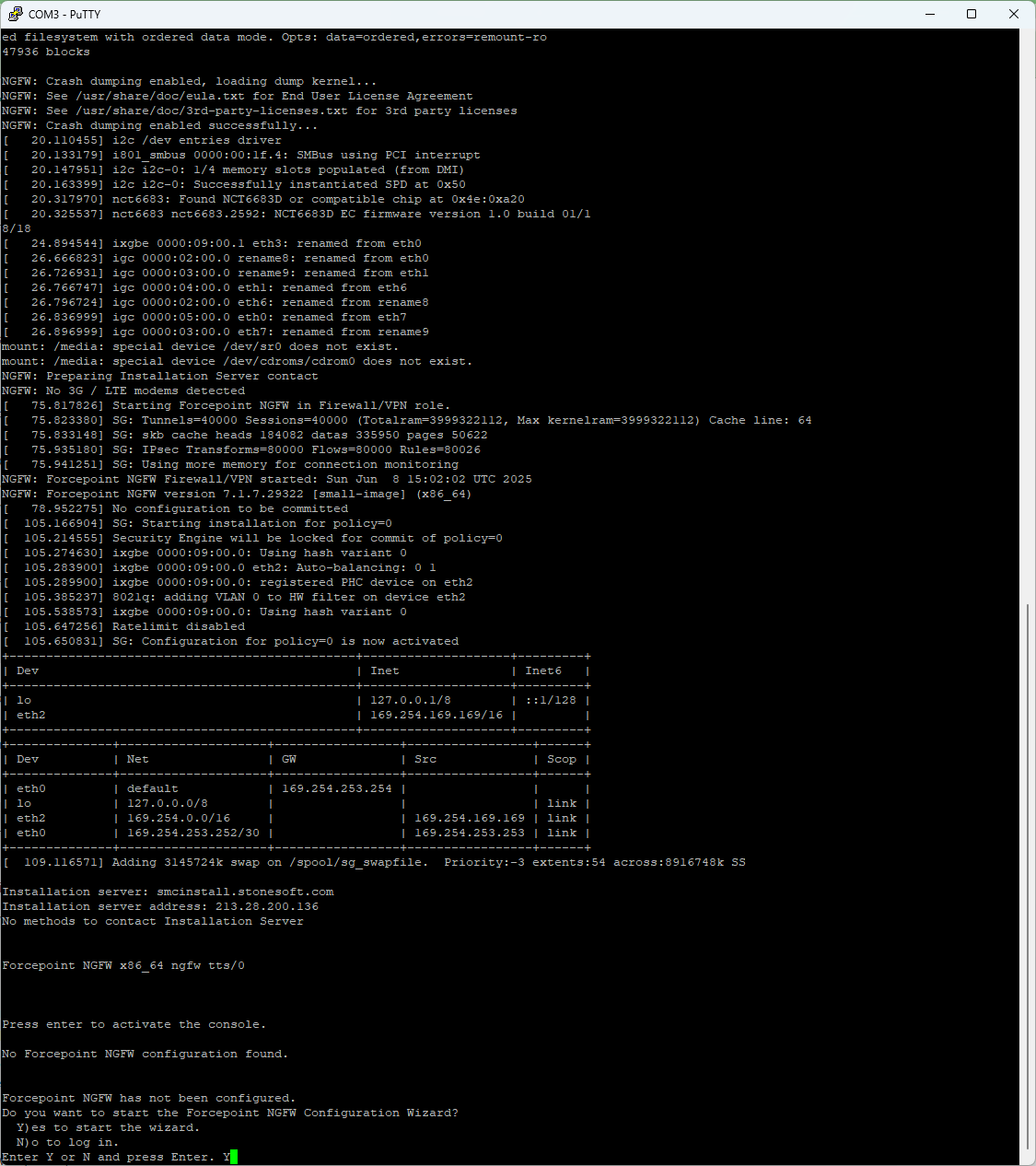
- Branchement du port console sur un port Série.
- Utilisation d'un câble USB/Ethernet
- Install des drivers FTDI
- Utilisation de Putty sur port Serial
ZZ - Références
1- ForcePoint Installation Guide